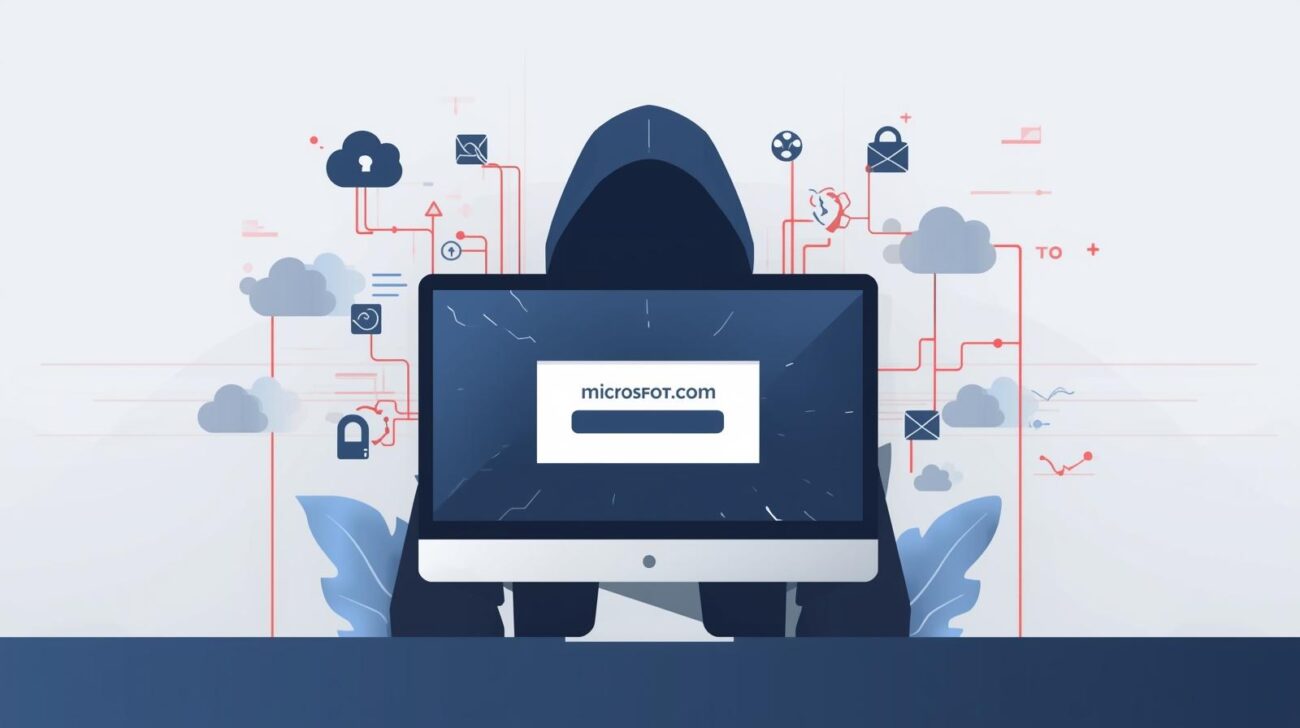
In 2025 alone, more than 6,200 adversarial domain name cases were recorded, contributing to a 68% rise in digital squatting scams over five years. Unlike traditional phishing, today’s attackers don’t always rely on obvious red flags. Instead, they exploit something far more powerful: your routine behavior and muscle memory.
Security teams have spent years training employees to spot suspicious emails. But digital squatting bypasses this awareness by hiding in plain sight — inside familiar-looking login pages, invoice portals, and support websites.
In this article, you’ll learn:
- What digital squatting is and why it’s rising
- How attackers weaponize domain lookalikes and brand trust
- Real-world risks to organizations and individuals
- Detection and prevention best practices aligned to security frameworks
What Is Digital Squatting?
Digital squatting refers to malicious use of deceptive domain names designed to impersonate legitimate organizations.
Security firm Decodo defines it as:
Using a domain name in bad faith to profit from another party’s trademark.
Unlike classic phishing, digital squatting often:
- Avoids obvious urgency or emotional manipulation
- Mimics routine business processes
- Targets auto-fill behavior and habitual logins
Why It’s So Effective
Digital squatting works because it doesn’t try to alarm users. Instead, it blends into normal workflows like:
- Invoice payments
- Password resets
- SaaS logins
- Document signing portals
Key Insight:
The attack succeeds when users don’t think at all — they simply follow routine behavior.
How Digital Squatting Attacks Work
Step 1 — Domain Registration
Attackers register domains that closely resemble legitimate brands:
- microsfot-login[.]com
- docusign-support[.]net
- amaz0n-secure[.]org
Step 2 — Brand Impersonation
They replicate:
- Logos
- Color schemes
- Email templates
- Login interfaces
Often combined with brandjacking techniques.
Step 3 — Delivery Vector
Common entry points include:
- Email messages that pass spam filters
- Search engine ads
- Social media messages
- Fake customer support channels
Step 4 — Credential Capture
Users:
- Type credentials manually
- Trigger browser auto-fill
- Upload sensitive documents
Step 5 — Post-Compromise Exploitation
Attackers may then:
- Launch ransomware campaigns
- Perform lateral movement
- Sell credentials on dark web markets
Types of Digital Squatting Attacks
1. Typosquatting
Small spelling errors designed to catch fast typers.
Example:
- g00gle.com
- facebok.com
2. Combosquatting
Adds extra words that appear legitimate.
Example:
- microsoft-support-login.com
- paypal-security-update.net
3. TLD Squatting
Uses alternate top-level domains.
Example:
- company.co instead of company.com
- brand.io instead of brand.com
4. Homograph Attacks
Uses visually identical characters.
Example:
- Using Cyrillic characters instead of Latin letters
Risk Level: Extremely high due to visual similarity.
Who Is Most at Risk?
Individuals
High-risk groups include:
- Seniors targeted with fake support scams
- Employees handling invoices and payments
- Remote workers using unmanaged devices
Organizations
Industries frequently targeted:
| Sector | Why Targeted |
|---|---|
| Finance | Direct monetary access |
| Healthcare | High-value data |
| SaaS | Credential reuse risk |
| Logistics | Payment workflows |
Real-World Business Impact
1. Credential Theft → Account Takeover
Compromised credentials enable:
- Email compromise
- Cloud console access
- Privileged account abuse
2. Brand Trust Damage
Many incidents go unreported. Instead, customers simply stop trusting communications.
Long-Term Effects:
- Customer churn
- Regulatory scrutiny
- Reputation erosion
3. Compliance and Legal Exposure
Relevant frameworks include:
- NIST CSF — Identity and access control
- ISO 27001 — Asset and risk management
- GDPR — Data breach obligations
Common Misconceptions About Digital Squatting
Myth 1 — “Spam Filters Will Catch It”
Reality: Many squatting domains are newly registered and clean.
Myth 2 — “Security Awareness Training Solves It”
Reality: Digital squatting targets habitual behavior, not ignorance.
Myth 3 — “Only Big Brands Are Targeted”
Reality: SMBs are often targeted due to weaker domain monitoring.
Best Practices to Prevent Digital Squatting Attacks
For Security Teams
1. Implement Domain Monitoring
Track:
- Newly registered lookalike domains
- Brand keyword variations
- International domain registrations
2. Enforce Zero Trust Access
Never trust domain familiarity alone.
Key controls:
- MFA everywhere
- Device posture validation
- Conditional access policies
3. Deploy Email and Web Security Layers
Recommended controls:
- Secure email gateways
- DNS filtering
- Browser isolation
4. Monitor Credential Exposure
Use threat intelligence tools to track leaked credentials.
For Organizations (Strategic Level)
Defensive Domain Strategy
Register:
- Common typos
- Regional TLDs
- Brand + support keyword combos
For End Users
Simple but Effective Habits:
- Manually type critical login URLs
- Disable auto-fill on sensitive sites
- Bookmark trusted login portals
- Inspect domain spelling before login
Security Framework Mapping
MITRE ATT&CK
Relevant techniques:
- T1566 — Phishing
- T1583 — Acquire Infrastructure
- T1078 — Valid Accounts
NIST CSF Categories
| Function | Application |
|---|---|
| Identify | Domain asset inventory |
| Protect | MFA and email filtering |
| Detect | Domain monitoring |
| Respond | Incident playbooks |
| Recover | Credential reset procedures |
Risk-Impact Analysis
| Risk | Likelihood | Impact |
|---|---|---|
| Credential theft | High | Severe |
| Brand impersonation | High | High |
| Data breach | Medium | Critical |
| Compliance violation | Medium | High |
Tools That Help Mitigate Digital Squatting
Threat Intelligence Platforms
Detect malicious domain registrations early.
DNS Security Solutions
Block access to suspicious domains.
Brand Protection Services
Monitor trademark abuse and domain misuse.
FAQs
What is digital squatting in cybersecurity?
Digital squatting is the malicious registration of domain names that mimic legitimate brands to steal credentials or data.
How is digital squatting different from phishing?
Phishing relies on deception messaging. Digital squatting relies on deceptive infrastructure (domains and websites).
Can MFA stop digital squatting attacks?
MFA significantly reduces risk but cannot prevent credential harvesting attempts.
Why is digital squatting increasing?
Automation tools and cheap domain registration enable attackers to scale campaigns.
How can companies detect lookalike domains?
Using domain monitoring, threat intelligence feeds, and brand protection services.
Are small companies at risk?
Yes. Attackers often target smaller organizations with weaker monitoring controls.
Conclusion
Digital squatting represents a shift from obvious scams to invisible, routine-based social engineering. By exploiting user muscle memory and trust in familiar brands, attackers bypass traditional security awareness and technical controls.
Organizations must respond with:
- Proactive domain monitoring
- Zero trust identity models
- Layered email and DNS defenses
- Strong credential hygiene practices
Next Step:
Assess your organization’s exposure to lookalike domains and evaluate whether your security stack can detect brand impersonation threats.
